The AI did the work, but I'm the one who's wiped — you're the controller
Table of Contents
For a stretch there, my desk always had four or five projects open at once, and each window was running its own parallel tasks. Red dots on the Dock, little bells dinging in the terminal tabs, going off one after another—this AI finished a stretch and is waiting on me, that one has a plan it needs me to sign off on. I just kept switching between them. The work itself got done, and done well: by the end of a day, the AI had cranked out a lot, fast. But here’s the strange part—I’m the one who’s wiped. Not the sore-eyes, stiff-hands kind of tired. The kind where your brain’s been wrung dry.
Who I am: the controller behind the controller agents
In the last few posts I kept talking about the “controller agent”—letting one opus hold the big picture, hand out work, and do the review. Writing this one, it finally clicked: I myself am the controller behind all those controller agents.
Why open so many at once? Because once you hand a project to an AI and it’s off running, there’s wait time on the human side. Idle is idle—so you spin up another project. One becomes two, two becomes four or five. Each AI window only minds its own patch, but the human, to push several projects forward at the same time, has to hold all those patches in their head at once.
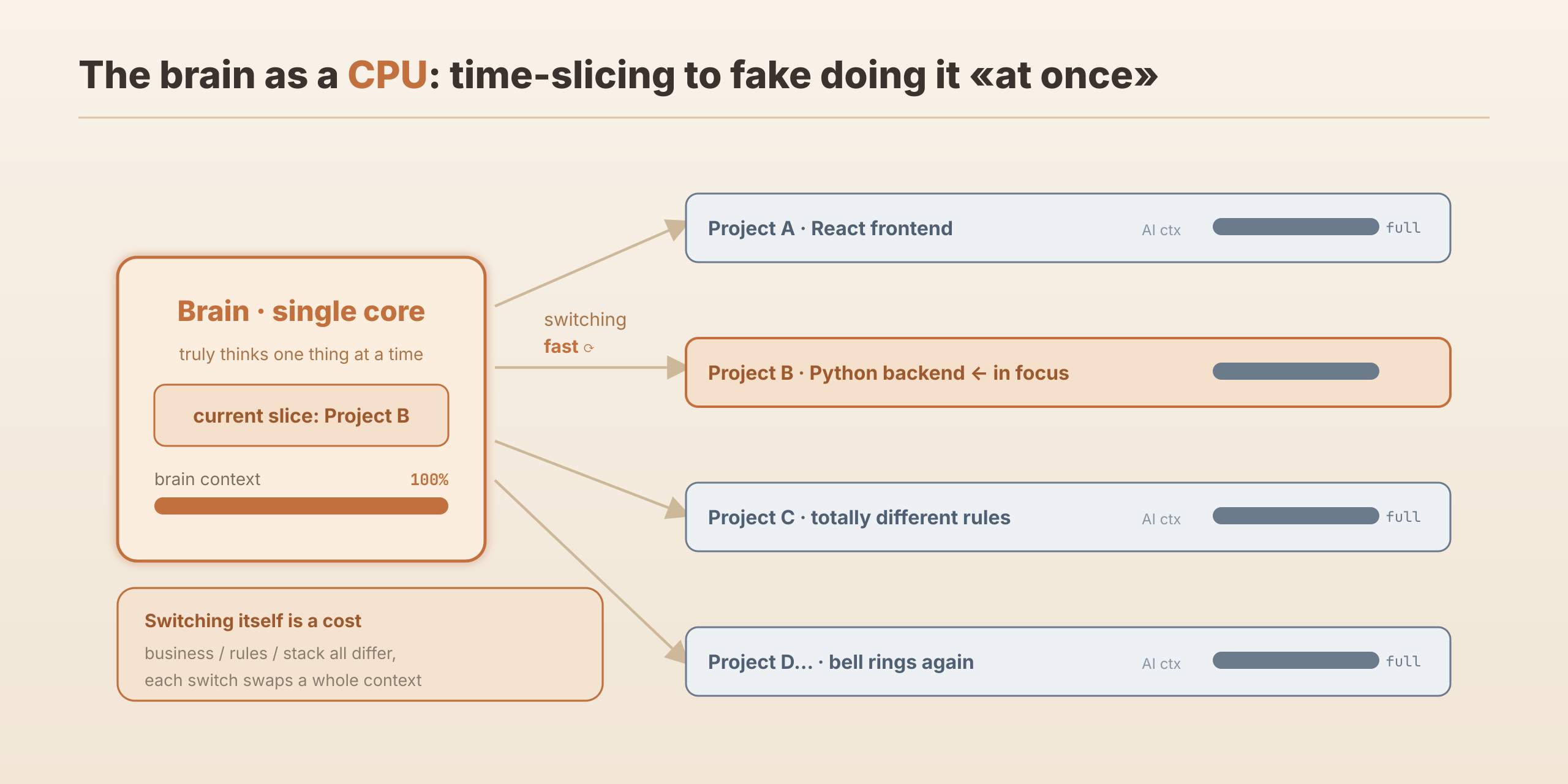
The result: the AI’s context window is maxed out, and the human’s context is maxed out right alongside it. It’s a lot like CPU time-slicing in an operating system—one core takes turns serving several processes, switching fast enough to fake “running at the same time.” Except this time the core getting switched around is my brain.
Where the tiredness comes from: “writing” became “reviewing + switching”
At its root, this tiredness comes from work shifting from “writing” to “reviewing + switching.”
I used to write code line by line; however hard it got, it was one continuous train of thought. Now it’s different: I’m handing out work, watching, reviewing, making decisions—and switching at high speed between several projects whose business, conventions, and tech stacks are completely different. This window’s writing React, that one’s debugging Python, the rules aren’t the same; before I switch over, I have to swap out the whole context in my head first.
The code the AI produces, honestly, I can’t watch line by line—there’s too much, I can’t keep up, so I just don’t try to babysit it constantly. But there are two kinds of things I always go over myself: one is plans and design—that’s the big direction, and if the direction’s wrong, there’s probably rework ahead; the other is anything touching resource access—that’s security, and there’s no room to be vague. Those two, however tired I am, I look at myself.
What overload looks like, and how I hold up
Open too many and overload really does happen. The most direct sign is your brain running short: I switch to some terminal and have to pause—wait, which project is this? What did I just ask it to do? Sometimes I have to think back for a moment before I can pick the thread up again. The most embarrassing time, I typed a reply meant for window A into window B, and B’s AI was baffled: “What are you talking about?” I had to apologize to it—”sorry, my mistake”—and go back to actually reading its question. (Good thing this kind of cross-talk usually surfaces fast—when an AI gets stuck, it stops and asks you.)
To hold up, I mainly lean on two things.
One is letting mechanisms carry the load for me. The PDLC doc-driven flow and layered reviews I built were first meant to handle the AI’s uncertainty, but they also save my own energy—get the direction right up front and you won’t go wildly wrong later; and fixing an output that’s already drifted costs far more effort than getting it right the first time.
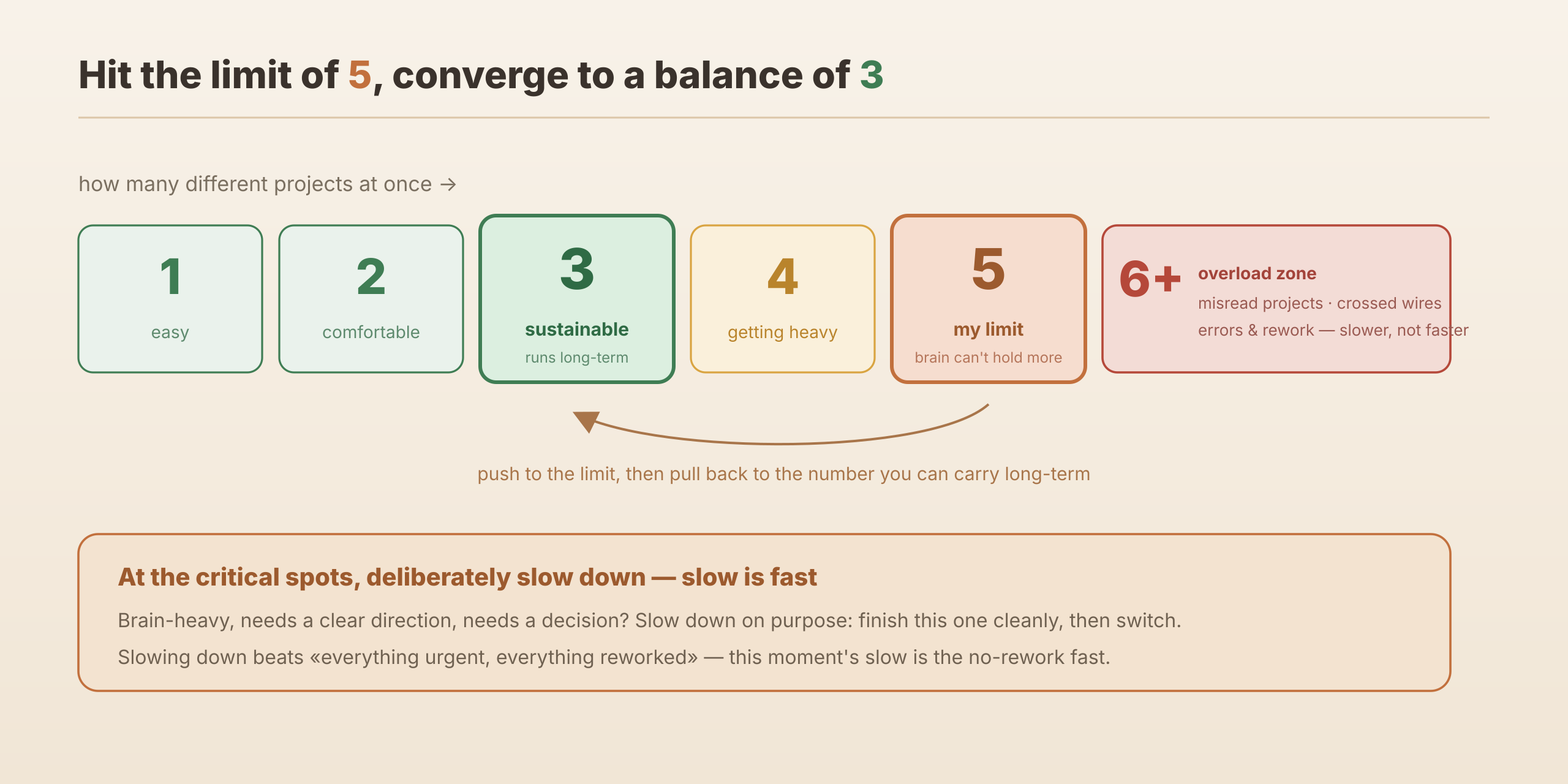
Two is deliberately slowing down. When something’s especially brain-heavy—needs a clear direction, needs a decision—I deliberately slow down, focus and get this one done cleanly, then switch to the next. When it’s time to stop, I leave myself a little breathing room. At moments like that, “slow” is actually “fast.”
As for telling windows apart, I rename the terminal tabs to something I can recognize at a glance—but honestly, most of the time I still go by where they sit on the screen.
An honest accounting: a limit of 5, balance at 3
Is it worth it? Depends how you look.
The hard gains are real: a lot of areas I was weak in and never dared touch, I can now boldly try; one person can lead a team of AIs in different roles and push efficiency up more than tenfold, doing far more than before. On that ledger, it’s a big win.
The cost is that the human gets tired. Early on I wanted to push my own limit—open as many as I could—and I hit five projects at once. That was my ceiling; any more and my brain genuinely couldn’t hold it. Later I pulled back, settling at around three different kinds of projects at a time. That number is the sustainable balance point.
Hand it all to the AI? Not realistic yet
Someone will surely say: you just don’t know how to use it—a real expert would’ve automated the flow and wouldn’t need to babysit anything. I’ve heard that take—”just hand it all to the AI and let it run, done.” From my own experience, it’s not like that. Using AI well still takes experience, takes care, takes being able to make the call on the key questions. Letting go entirely and having it run end to end on its own—given where things stand, that’s not realistic yet.
Of course, this is “now.” The day AI can truly run on its own, what happens then, I can’t say. But at least today, that person sitting behind the pile of windows—drained and a little wired—there’s no getting around them.
If you’re a “controller” too, tell me in the comments: what’s your limit?
Comments