AI Memory Grows Weeds: Why Timely Pruning Matters
Table of Contents
Last time we talked about how to build a memory system for AI. But building is only the beginning—the longer a project runs, the more memory accumulates, and without cleanup, weeds quietly grow in it. This time, I gave the AI memory across several of my projects a systematic “weeding.”
As a project moves forward, the memory gathered during AI collaboration keeps piling up. Each project’s memory is like a dedicated notebook: while working, the AI jots down the pitfalls it hit and the rules we settled on. This does deepen its grasp of the project, but the notebook grows thicker and messier—and quite a few entries are long expired, though the AI still treats them as rules it must obey.
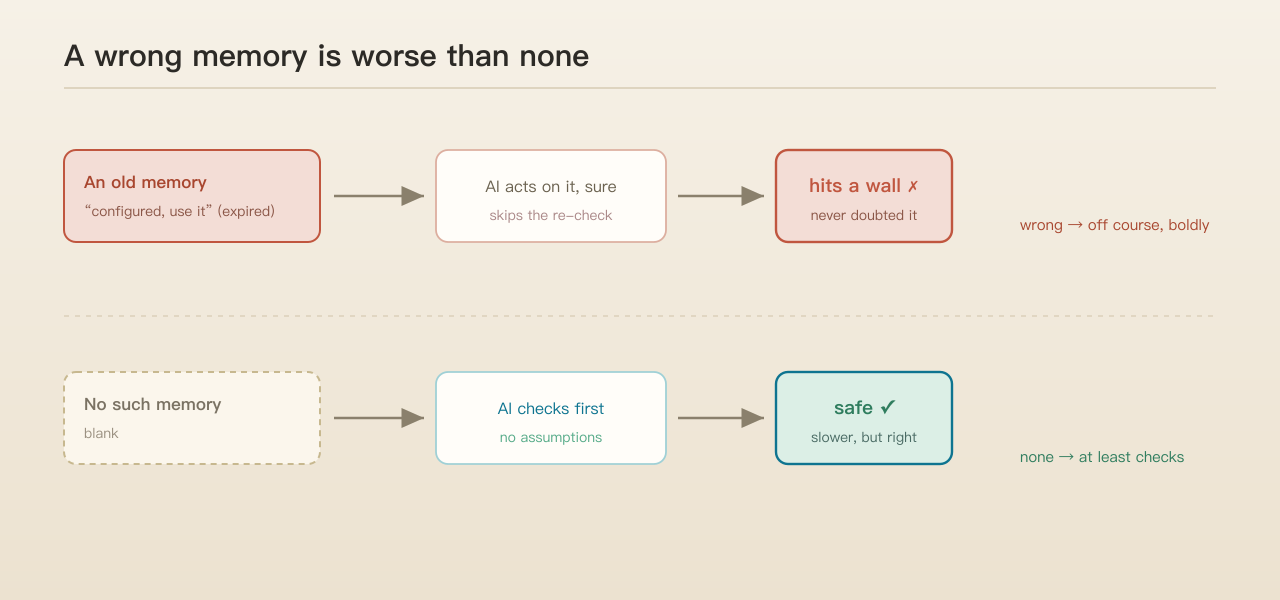
A real example. On one project, the AI immediately acted on an old memory. It read “an external call is already configured, use it directly,” so it skipped the step where it should have re-verified and pushed straight ahead—and hit a wall. The catch: that memory was just a snapshot from a few weeks earlier, long invalid; yet from start to finish the AI never doubted it for a moment.
That made me realize: a wrong memory can be worse than no memory. With no memory, the AI will at least check honestly first; with a wrong one, it walks off course with full confidence. Once memory grows, it goes stale, gets tangled, contradicts itself—and someone has to clean it up in time, or the AI’s efficiency can’t really be counted on.
Two things I set out to do
One, seriously clean up the memory library of each project; two, take the chance to survey what kinds of “weeds” memory actually grows.
Neither has a shortcut—both need hands-on human work, deletion above all, which I would never fully hand to the AI. It can propose what to delete and what to merge, but the final call must be a person’s. What gets deleted is often historical record, and once the AI gets careless it can wipe out something important along with it. Cleaning memory demands real caution.
But let me say it up front: manual weeding only treats the symptom. Weeds keep coming back because the memory system itself lacks certain mechanisms—pull them today, and they grow back in a while.
First, give the AI the “sleep” it lacks
To see why memory needs cleaning, it helps to look at how humans do it—through sleep.
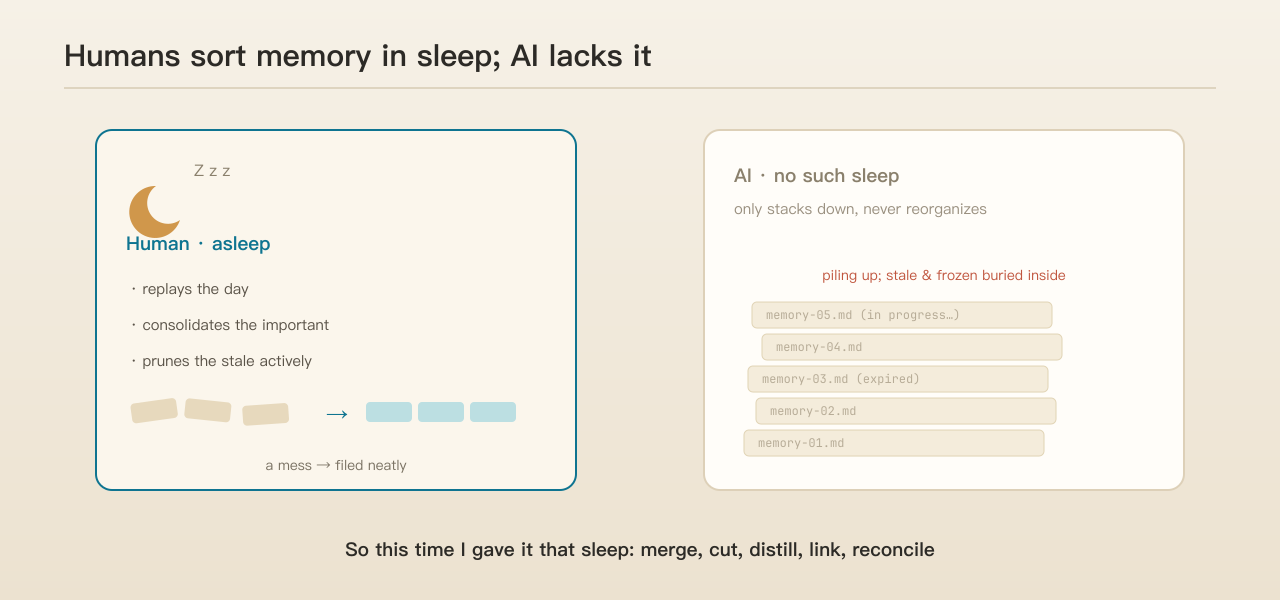
There is solid science behind this. During sleep, especially deep sleep, the brain “replays” the day’s experiences, gradually moving important memories from the hippocampus into the neocortex for archiving; the more important the content, the more often it is replayed, and the more firmly it sticks. At the same time, sleep actively “prunes” the unimportant and outdated, so the brain isn’t stuffed with useless information.
The AI has no such automatic tidying. It only stacks memory downward, one entry after another, never going back to reorganize. So this time, I manually gave it that “sleep”: I read through each project’s memory once, checked it entry by entry, and did five things—merged duplicates, cut the expired, distilled scattered notes into one, linked the related, and the easiest to overlook: hunted for entries that contradict each other.
Six typical memory “weeds”
After systematically going through the memory libraries of several projects, I found that although the weeds differ in form across projects, they boil down to six typical patterns.
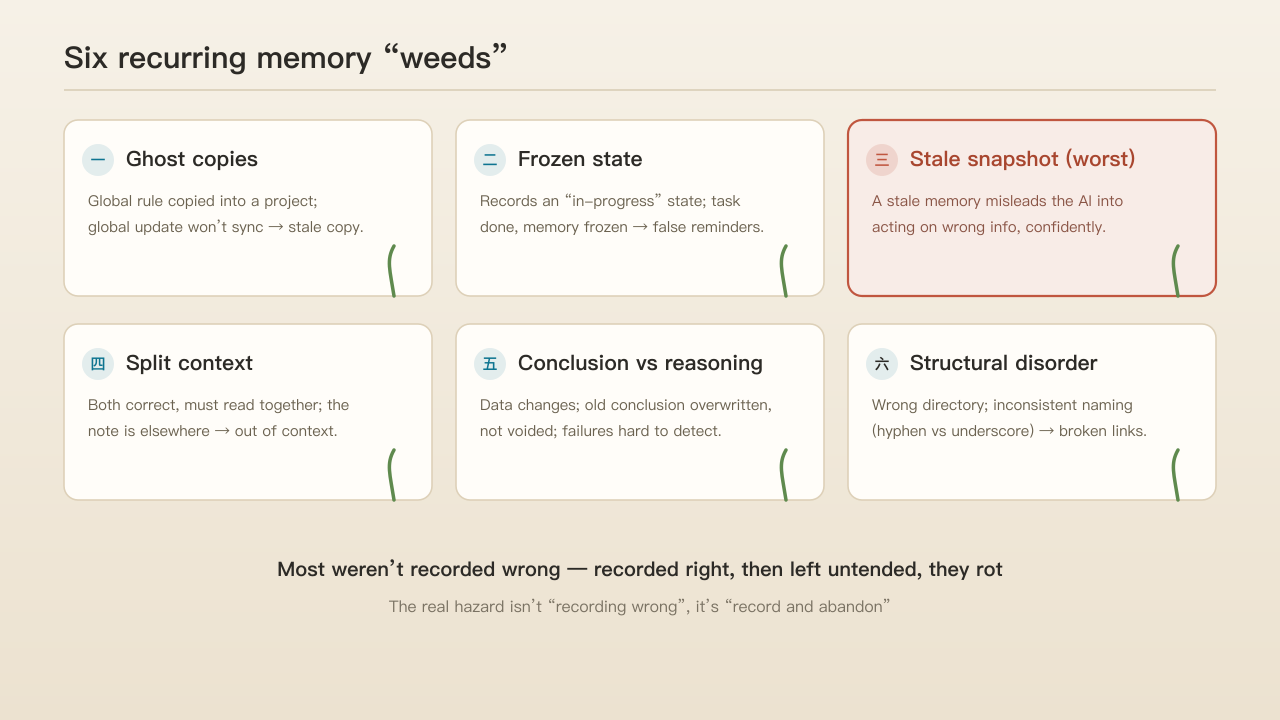
One, ghost copies. A global rule gets recorded again inside a specific project, but the AI has no “inheritance” mechanism. When the global rule is updated, these isolated copies can’t sync, so an outdated instruction keeps taking effect.
Two, frozen state. Some memory records an in-progress state at a given moment (in development, under review). With no state-update mechanism, even after the task is long finished, the AI still treats it as unresolved and raises useless reminders in unrelated conversations.
Three, stale snapshots. The most dangerous kind. An expired memory not only loses reference value but also misleads the AI into taking wrong information as fact and confidently executing the wrong action.
Four, split context. Some entries are each accurate read alone, but only yield the right conclusion in a specific context. Because the linking note sits in another file, the AI easily misses it while retrieving, and takes things out of context.
Five, conclusion detached from reasoning. When underlying data changes after a bug fix, the old conclusion is merely overwritten by the new one, never explicitly marked obsolete. Since the memory system stores only conclusions, not the reasoning, it can’t automatically spot and clear the related conclusions that quietly went invalid.
Six, structural disorder. This includes memory stored in the wrong directory, and silent broken links caused by inconsistent naming (hyphen versus underscore).
Reviewing these six, I reached a counterintuitive conclusion: most of these weeds don’t come from being recorded wrong in the first place—they were recorded correctly, then rotted for lack of upkeep. The greatest hazard of a memory system isn’t “recording wrong,” it’s “record and abandon.”
One step where I deliberately held back
During cleanup, there was one step I deliberately held back on.
I had planned to merge three similar memories about a “cloud data trap” in one project into a single checklist. But halfway through, I realized the three map to three concrete business risks—duplicate reward payouts, missing leaderboard data, new users failing to be saved. Over-abstracting them into a single “watch the cloud fields” would erase these life-saving details.
Distilling knowledge matters, but over-distilling erases the exceptions. So I changed course: keep all three original memories, and only link them with a tag, so they “cluster together” rather than “boil into one pot.”
The hardest part: reconciling memories that “look contradictory”
The most challenging part of the whole cleanup was reconciling logical conflicts.
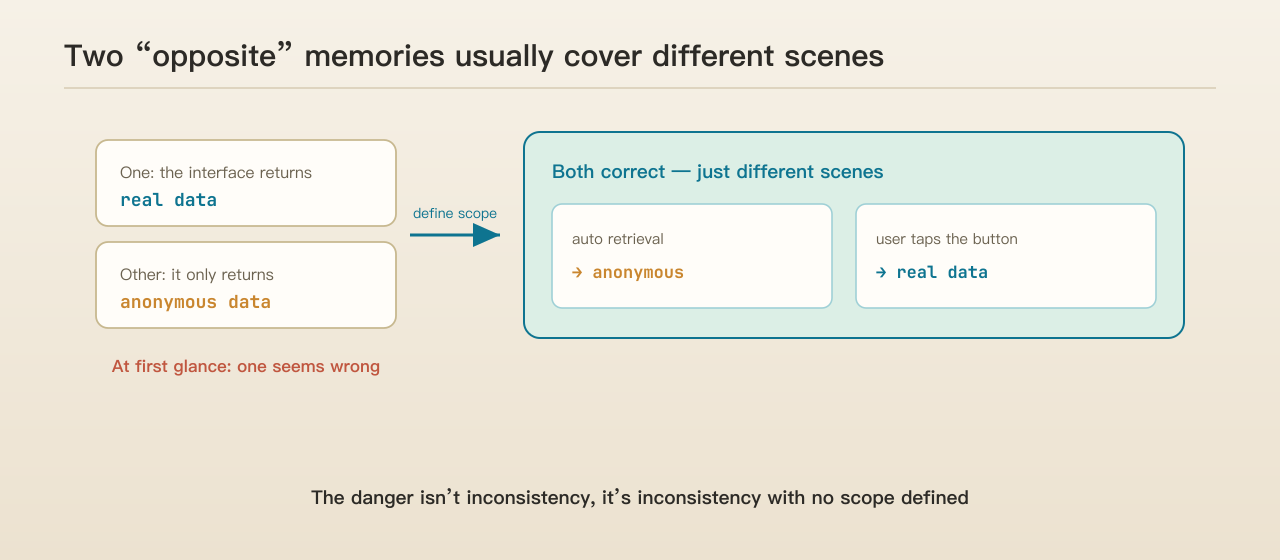
For example, on retrieving data from an interface, one memory said “returns real data,” another said “returns anonymous data.” On checking, both were correct—only the trigger differs: automatic retrieval returns anonymous data, while a user’s manual button tap returns the real thing.
For such seemingly contradictory memories, simply deleting one only loses information; the right move is to clearly delimit each one’s applicable scope. Add that “branch condition” into the memory, and the conflict resolves itself.
This leads to a core takeaway from the review: the most dangerous thing in a memory system isn’t “information being inconsistent,” it’s “information being inconsistent with no scope defined.”
Why manual cleanup never finishes
By the later stage I understood: manual weeding alone can’t fix the root. These weeds keep coming back because the system lacks three core mechanisms—without “inheritance,” global rules get redundantly re-recorded; without “expiry,” state-type memory is frozen forever; without “ownership and consistency checks,” memory ends up misplaced and links break silently.
Was this cleanup worth it?
On return-on-effort: for small or new memory libraries, the payoff is limited; but for large, aging ones, the value is considerable—it clears out plenty of broken links, stale names, and frozen states.
Yet the real gain from this review isn’t the short-term “tidiness,” it’s building a systematic understanding of how memory decays—and that understanding has long-term value.
Which memories are least likely to grow weeds
While checking, I also noticed that memories resistant to decay share one trait: they record “confirmed decisions and principles” (the rationale, the path, the hard limits), not “in-progress states.” Conclusion-type memory is stable across time; state-type memory expires easily.
So when writing to memory, follow one principle: prefer recording “conclusions that won’t expire,” and avoid recording “states that will.”
Three practical lessons
One, memory needs periodic maintenance. A memory library decays by nature; it should be restructured on a regular basis—merge, prune, distill, link, and reconcile conflicts—to keep it from steadily degrading.
Two, high-risk operations need a human in the loop. For irreversible acts like deletion and distillation, human review is a must; and clear out the expired and self-contradictory first, before wrong information misleads the system.
Three, the real fix is systemic. Manual cleanup is only a stopgap; the root solution is to build automatic inheritance, expiry, and consistency checks, so the library metabolizes on its own.
Next: a memory tool that “self-diagnoses”
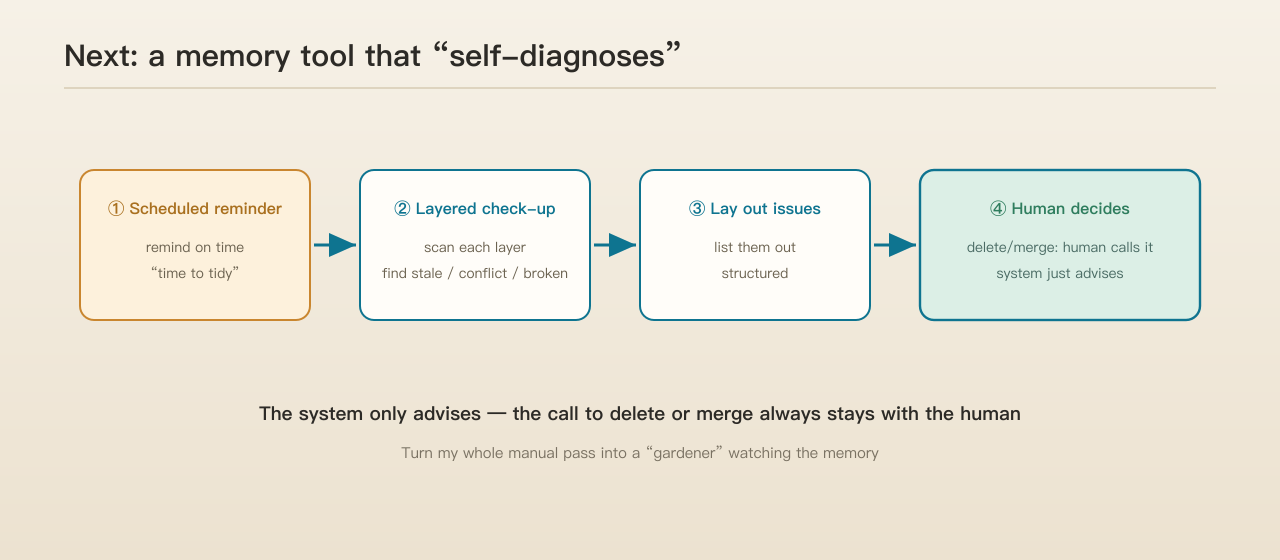
Based on this review, the next direction is clear: build a memory-management tool with a “self-diagnosis” capability. It needs three core functions—trigger cleanup reminders on schedule, scan and diagnose memory layer by layer, and present the issues it finds in a structured way for a human to decide on. And on the final act, the system only advises; the decision to delete or merge always stays with the person.
This idea didn’t come out of nowhere; it’s the near-inevitable conclusion after a full review. Next, I plan to actually build it.
If you’re also building a memory library for your AI, stay alert to memory’s natural decay and the “weeds” it grows. If this review nudges you to look back at your own memory library, a follow, a like, or a share with peers exploring AI memory management would mean a lot.
Comments