I Built a Health-Check for My AI's Memory: It Diagnoses, It Never Operates
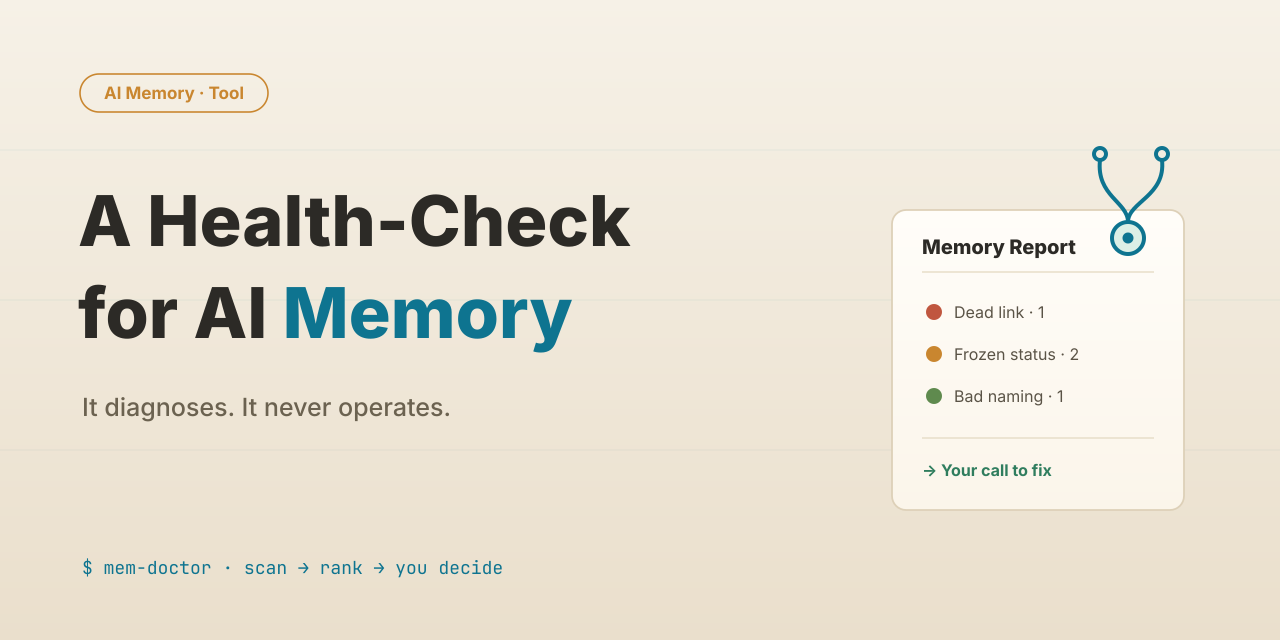
Table of Contents
Last time, I gave the AI memory libraries across a few of my projects a thorough “weeding,” and sorted the decay into six kinds of “weeds.” But the more I weeded, the more certain I got: weeding by hand only treats the symptom. As long as the memory system itself has no self-checkup mechanism, the weeds grow right back. So at the end of that post I left myself an assignment — build a tool that runs the checkup automatically. This post is me turning it in.
Let me first say what the tool actually does, or the rest is just talk.
Think of it as a dedicated doctor for your memory library. You point it at a project’s memory library, it scans the whole thing top to bottom, and lays out every problem it finds, one by one: this link is broken, that memory is in the wrong folder, these two entries look contradictory… and then it stops, and waits for you to decide what to do with each one.
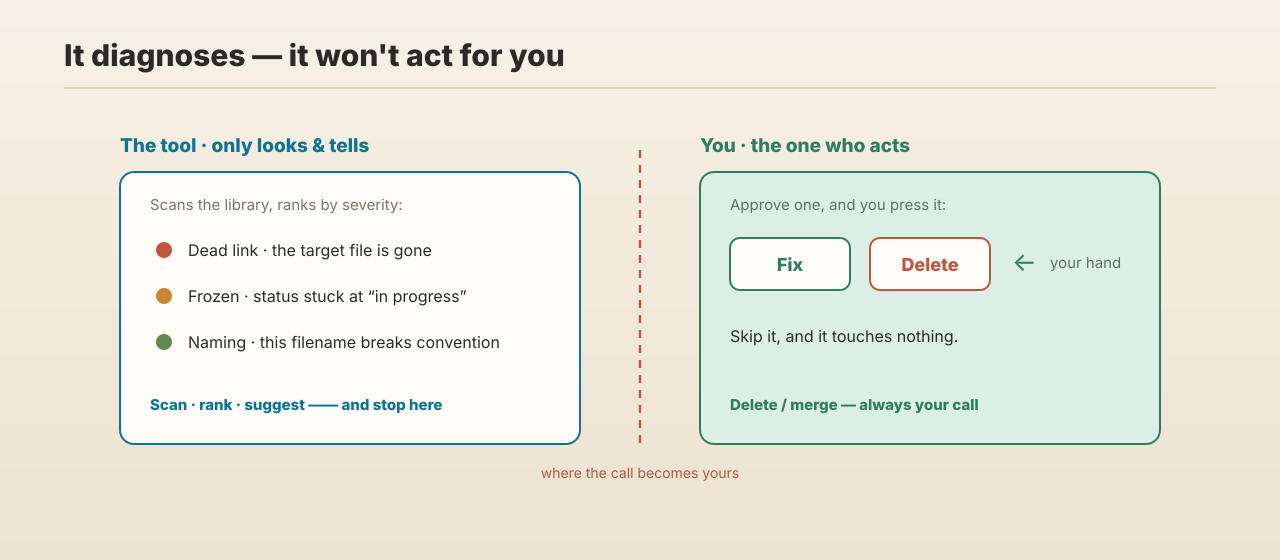
I put “waits for you to decide” front and center on purpose, because it defines the tool’s whole personality: it only looks and tells. It doesn’t act.
🩺 It Only Looks — It Won’t Act For You
Why design it this way? It goes back to the hardest lesson from last time: deleting memories is not something you hand entirely to an AI. It can propose what to delete or merge, but the final call has to be a human’s. What gets deleted is often a historical record, and an AI, going with the flow, can easily wipe out something important along with it.
So when I built the tool, I turned that lesson into a hard rule: nowhere in the program is there a single code path that changes or deletes your memory files on its own. It can scan, rank each problem by severity, even work out the fix for you and lay it on the table — but the actual “change” or “delete” keystroke has to be yours.
Put that way it sounds like a loss — I built a tool and cut off its most capable part. But it’s exactly that restraint that lets me leave it running every day. Swap in a tool that touches my memory on its own initiative, and I wouldn’t dare use it even once.
🔍 The Machine Catches “Hard Faults,” Claude Reads “Meaning”
Now that we’ve covered what it won’t do, let’s talk about what it can spot. The problems it scans for come in two kinds, handled very differently.
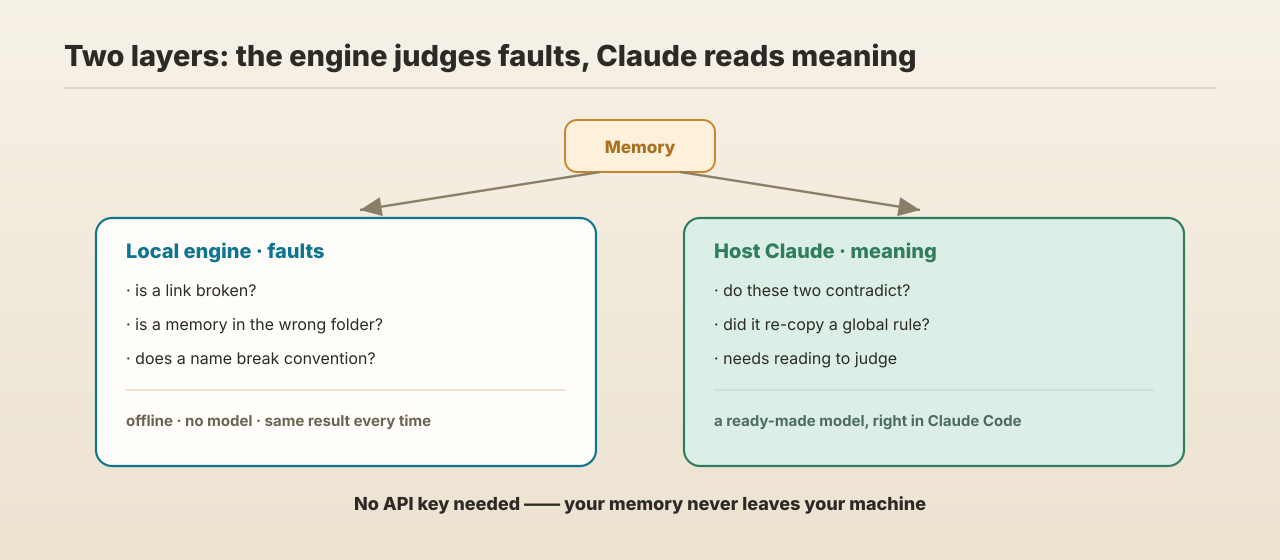
One kind is a hard fault the machine can judge at a glance: the file a link points to doesn’t exist, a memory is sitting in the wrong folder, a name breaks convention… These need no understanding of the content; a rule comparison settles it, and it won’t misfire.
The other kind is far trickier. Take “are these two memories contradicting each other” — you can’t judge that from the surface text; it has to actually read what each memory is saying. That kind of work needs a model that understands language. Handily, this tool is itself a Claude Code plugin, so at runtime there’s a Claude sitting right next to it — a ready-made model that reads meaning, no need to wire in another.
So the hard faults go to a small local engine — it never touches the network, calls no model, and returns the exact same result every time for the same library; the judgments that need understanding go to the host Claude, the very model working alongside you. Split this way, the tool needs no API key at all, depends on no external service, and not one character of your memory ever leaves your machine.
Following that split, I laid the checks out in three layers, from the most certain to the most judgment-heavy:
- Static checks (hard faults): the engine’s mainstay, fast and precise — dead links (a name drifting from hyphen to underscore silently breaks the link), dangling index entries (listed in the index, but the file is gone), orphan memories (the file exists, but it’s not in the index), missing fields, bad naming, wrong folder. All faults the machine spots at a glance without misfiring.
- Educated guesses (leads): e.g. a memory that says “in progress” or “under review” and hasn’t been touched in ages — most likely the task is long done and the status is just frozen there. This layer gives you leads, not verdicts.
- Reading meaning (semantics): the two nastiest weeds from last time — a project re-copying a global rule (I call it a ghost copy), and a “false contradiction” where two entries look opposite but each governs its own scenario — take reading the content to judge. This layer goes to the host Claude; it reads and suggests, I make the call.
Once all three layers are done, the tool sorts the problems by severity into red / yellow / green and walks you through them one at a time: fix this dead link? add this orphan to the index? is this frozen status long over? It changes only what you tell it to change, and touches nothing you skip.
⏰ Remind Me On Time — But Don’t Nag
A checkup alone isn’t enough, because the biggest enemy of memory maintenance isn’t “not knowing how to fix it” — it’s plain forgetting to. Last time I said memory needs regular maintenance, but “regular” left to willpower is basically nothing.
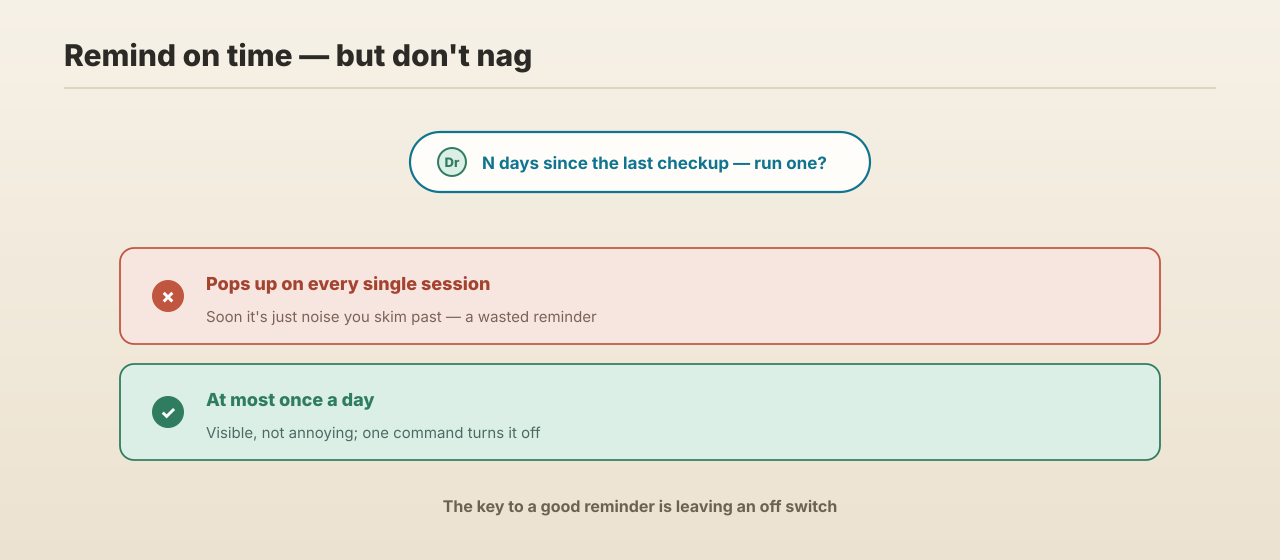
So I gave the tool a reminder: whenever I start working, if the current project’s memory library has gone too long without a checkup, it gently notes “🩺 N days since the last checkup.”
But a reminder, overdone, becomes noise, and noise gets ignored. So I put two limits on it: at most once a day, not popping up on every session; and if it really bugs you, one command shuts it off.
📌 What It Can and Can’t Do Right Now
Let me be concrete.
What it can do: six detectors, migration suggestions for old-format memories, and bilingual output — all working now. I ran it over the memory libraries of my own nine projects, one by one, and cleared out dead links, stale names, and frozen statuses in a single pass.
What it can’t do (and this is a line I drew on purpose):
- the judgments that need understanding still need a human nod; the tool only advises;
- it will never change anything for you automatically;
- for small or new libraries the payoff is limited — the real value is in libraries that have piled up over a long time.
The one thing a memory tool should never do is act on its own.
The tool itself is still just for my own use, but it’s been written to open-source standards from the first line: full tests, clean history, docs in both Chinese and English. When and how to make it public, I’ll decide once I’ve used it enough to trust it — so no link in this post, to save you a dead click.
💡 Looking Back: Three Takeaways
- For any tool that “acts,” think hard about its boundary first. The more irreversible the operation, the more dangerous a capable tool becomes. Making “never act on its own” a hard rule is exactly what lets me use it without worry.
- When you build reminders or notifications, don’t forget to leave an “off switch.” We fixate on getting the message in front of the user and easily forget: a reminder that keeps nagging ends up ignored. A reminder you can turn off is one people actually read.
- Be the first demanding user of the tool you build. Don’t just run it symbolically — actually put it to work, and the misfires and blind spots start surfacing one by one.
Next: Let’s Talk About the Loop
Memory — from building it, to weeding it, to this checkup tool — is where I’ll leave it for now. Next time, a different topic: the loop — how to get an AI running on a steady rhythm on its own, keeping a repetitive job going without me standing over it.
If you’re building a memory library for your AI too, or thinking about a few “never cross this line” rules for your own tools, I hope this was some help. If you found it useful, a like or a share with someone else wrestling with AI memory means a lot — every share is what keeps me writing.
Comments